A complete guide to reset your Mercedes car key ?
To reset a Mercedes-Benz key fob, put the key in the ignition switch with the car switched off, press and hold the "lock" button, pull the key out while still holding "lock" for 10 seconds, press the "unlock" button (open padlock) 5 times in a row without letting go of "lock", then release both and press the trunk ("box") button once. Most fobs that stop working are simply out of battery, so replace the key battery first and run the reset after that. Changing the car's own battery can also cause the problem.

TL;DR
- Most common cause: a flat battery inside the key. Replace it first.
- Check the key sends a signal: a small red LED near the panic button, and a flash on your phone camera.
- Reset: key in ignition (car off), hold lock, remove key, keep holding lock for 10 seconds, press open 5 times, release, press trunk once.
- Still dead after the reset: check the antenna amplifier fuse in the fuse box at the rear, driver's side, behind the trunk trim.
- Still dead after the fuse: the module needs a scanner, and a broken key needs a new one from an authorized dealer.
- If your car also refuses to start from the app, read Mercedes remote start failure.
Table of Content
- How do I reset my Mercedes-Benz fob key?
- What if the key still does not work after the reset?
- When do you need a new key from the dealer?

1. How do I reset my Mercedes-Benz fob key?
First check that the key actually sends a signal when you press its buttons (lock, open, panic and/or trunk). Press any button and look for a small red LED very close to the panic button. Then use your phone's camera: the infrared emitter sits at the top of the key housing, so open the camera app and hold the phone parallel to the flat face of the key. Each button press should show a flash of light on the screen. If you see no light on the camera or on the key casing, the key itself is very likely faulty.
Step 1
Synchronize the key with your Mercedes-Benz. Put the key in the ignition switch for a few seconds with the vehicle switched off. Without turning the key, press the "lock" button.
Step 2
Remove the key from the ignition switch without releasing the "lock" button, and keep holding it for 10 seconds.
Step 3
After 10 seconds, and still without releasing "lock", press the "unlock" button (open padlock) 5 times in a row.
Step 4
Stop pressing the "lock" and "unlock" buttons. Press the "box" (trunk) button only once.
After these 4 steps, press any button and check that the vehicle responds. For model-specific instructions, check the owner's manual for your car on the Mercedes-Benz USA owner's manuals page.
2. What if the key still does not work after the reset?
Sometimes the problem stays after the reset. Then the remote key system needs a closer look.
| Symptom | Likely cause | What to do |
|---|---|---|
| No red LED when you press a button | Flat battery in the key | Replace the key battery, then repeat the reset |
| No flash on the phone camera or key casing | Faulty key | Get a replacement key from an authorized Mercedes-Benz dealer |
| Key signals fine, car does not react after the reset | Blown antenna amplifier fuse | Check the fuse at the rear, driver's side, replace it if damaged, repeat the reset |
| Fuse is fine, car still does not react | Fault in the module | Read the module fault code with a scanner and specialist software |
Start with a visual check of the electrical system: are the relays and fuses for the system in good condition? Cars with as many security, infotainment and comfort systems as a Mercedes-Benz have several fuse boxes around the vehicle. The fuse for the remote key system (antenna amplifier) is at the rear, on the driver's side. To reach it, open the trunk, remove the trim cover, open the fuse box cover, find the fuse, pull it out with the fuse puller and check it for visible damage.
If the fuse is damaged, replace it with the correct part. Do not skip this or fit a different rating: any change in the circuit can cause bigger problems in the car's electrical system. If other electrical warnings show up at the same time, also read Mercedes-Benz auxiliary battery malfunction.
Then run the key reset again to confirm everything works.
If the key still does not work, the module needs a diagnosis. That takes a scanner and specialist software to read the module's fault code (see the OBD2 troubleshooting guide for how code readers work). A trusted specialist can then analyse the fault and suggest the right repair.
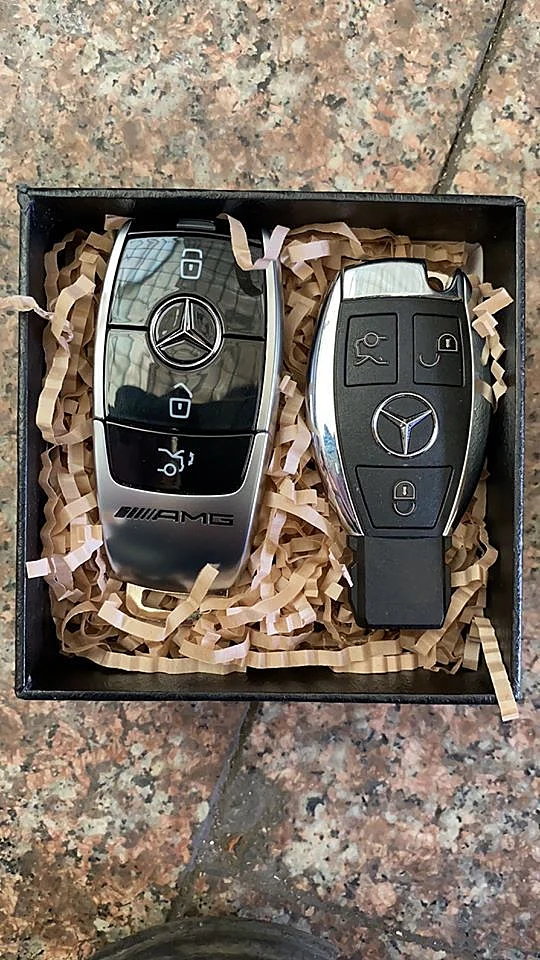
3. When do you need a new key from the dealer?
This procedure only helps when the key needs a reset for one of the causes above. If the key hardware is broken and you need a new key, contact your authorized Mercedes-Benz dealer. A dealer is the only place you can order a replacement key, which protects you and your vehicle. If you use the Mercedes-Benz app to lock and open the car while you wait, see the Mercedes me QR code guide to pair it.